
Threads by Instagram reveals secret new features on mobile and the web،
Threads by Instagram is on a mission to earn that spot on your phone’s home screen and plans to do so by regularly releasing new features that its users are interested in. In its latest release, the company revealed a few “secret” features that you may or may not know exist on the platform.
Easily track everything mentioned on a post
On mobile apps, you can now long-press on a post to follow everyone mentioned in it. A panel will appear at the bottom of the app showing you who was mentioned in the post. Here you can either follow each one individually or choose the “Follow All” option. As a bonus, there is also a “Copy Text” option if you want to use that same text in a new post or share it on another app.

Copy/paste media attachments
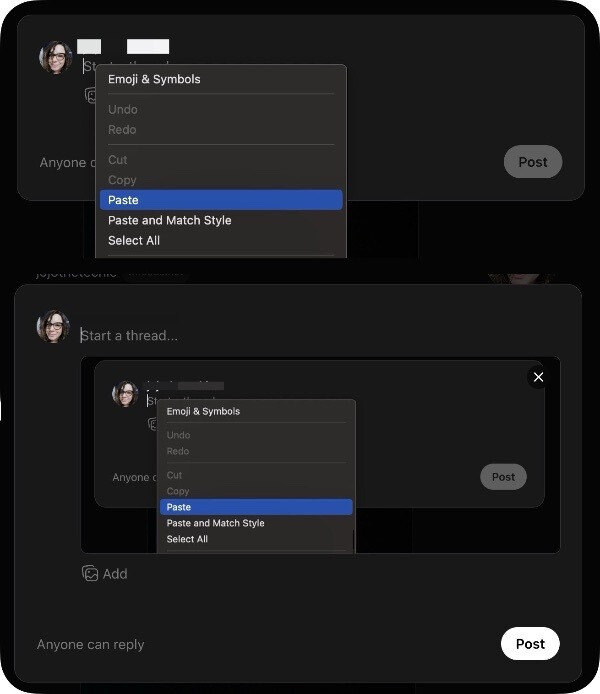
You can now copy and paste media attachments across the web for easier publishing. Previously, when composing a message, you had to click the media icon to attach an image or video from your device’s file manager. Now it’s as simple as copy/paste, which can save you a lot of time when you want to add something that’s already saved to your clipboard.
Tag Instagram accounts
Not only can you tag other accounts in Threads, but you can now tag Instagram accounts as well. When tagging, you can now see Instagram accounts appear in the autocomplete options. This is great if the account you want to tag is not yet registered with Threads, but is present on Instagram. Who knows? This could encourage more Instagram users to sign up for discussions and thus gain visibility.

Hopefully Threads continues to add useful features like they have been recently. The platform’s daily user base continues to regularly request new features and these don’t seem to fall on deaf ears. We’ll continue to report new features here as they’re revealed.