التجاوز إلى المحتوى
لا توجد نتائج
  • About us
  • Contact us
  • Privacy Policy
  • Terms and Conditions
Wikidollar
  • About us
  • Contact us
  • Privacy Policy
  • Terms and Conditions
Wikidollar

How to protect your Android phone from the bank account draining Chameleon trojan

  • adminadmin
  • 1 يناير، 2024
  • technology

How to protect your Android phone from the bank account draining Chameleon trojan،

Malware known as Chameleon Android banking Trojan is used by attackers to gain access to Android users' banking and financial applications. Once these cybercriminals gain access to these applications, their goal is to steal all of their victims' money. The Trojan was first spotted earlier this year and tricks victims into granting it permissions by pretending to be a legitimate application. Once the malware has access to a victim's phone, it can monitor how the phone is used and intercept credentials.

The Chameleon Trojan wouldn't pose such a problem if it didn't bypass the “restricted settings feature” introduced in Android 13 that allows the user to decide which apps can access certain device features and settings. This is done by tricking the victim into granting the Trojan permission to use the “restricted settings feature” without the user's consent. As a result, the malware can disable biometric security features such as facial recognition and fingerprint scanners and take control of a device.

Using a fake lock screen, the malware tricks you into providing your PIN code giving it access to your phone.

Now read this carefully. Here's how the malware steals victims' money. The malware will display a fake lock screen asking the user to enter their PIN. The malware records the PIN and unlocks the phone, allowing it to access the victim's banking and financial apps while obtaining other personal information. The malware can send money to attackers' accounts or purchase goods online without the phone owner's knowledge.
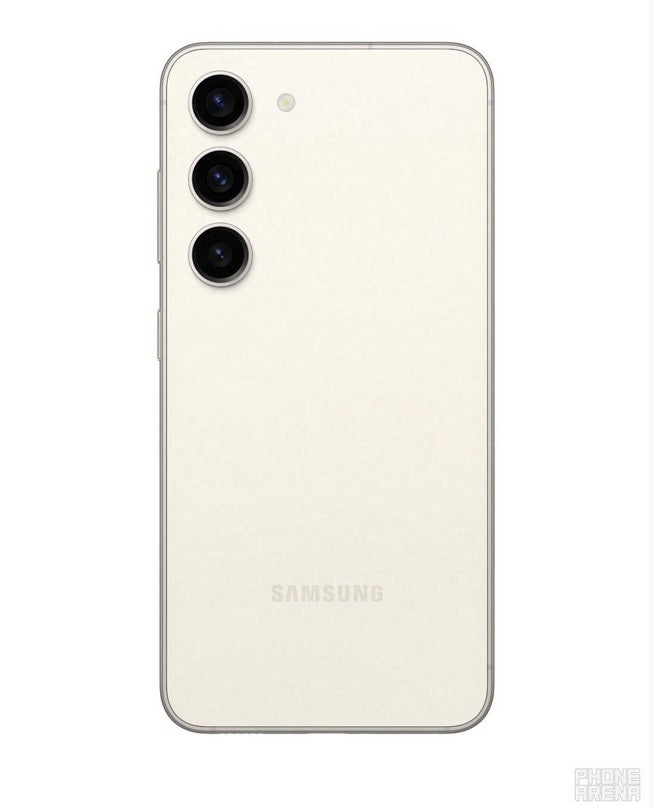
Android Device Users Need to Protect Against Chameleon Android Banking Trojan – How to Protect Your Android Phone From Chameleon Trojan That Drains Your Bank Account

Android device users should protect themselves from the Chameleon Android banking trojan.

According to The New York Post, there is a new “improved” version of the Chameleon Trojan that opens an HTML web page. This site asks for permission from the device owner to change their accessibility settings which will then be abused until the device asks for a PIN. The victim may never even notice anything is happening, because a platform called Zombinder bundles the malware with regular applications that haven't been attacked by the criminals.
With Zombinder, tasks can be scheduled. So, if an attacker learns their victim's schedule, they can program the Trojan to operate when the victim's device is not typically in use, helping the attacker and attack to evade detection.

Change your passwords using a trusted device like your PC or Mac

The best way to protect your Android phone is to avoid sideloading apps from third-party app stores. Stick to the Google Play Store or Samsung Galaxy Store if you own a Galaxy-branded device. Also, to ensure that your android phone is protected, make sure it's running the latest version of Android. If you have pending updates, install them.

The Chameleon banking Trojan uses a keylogger that records passwords as they are entered on the infected device. Change passwords for all your apps, starting with financial apps. Here's the problem: don't use the infected phone to change passwords like your computer. Use strong, unique passwords. Also check your online accounts and look for any unusual activity. You should also check your credit reports for signs of identity theft or fraud.

If you see signs that your banking and credit card information has been obtained by attackers, notify banks and credit card companies immediately. Tell your contacts to be on the lookout for messages from you that seem unusual and/or strange.

You can ensure that no traces of malware remain on your device by performing a factory reset. Make sure you have backed up your device before doing this and restore it using a trusted device only. No one likes doing a factory reset, but it could help you save your financial accounts from being emptied.
حقوق النشر © لعام 2026 محفوظة لموقع Wikidollar - قالب بواسطة CreativeThemes